

Every sale leaves a trail of documents. Quotes, contracts, invoices, receipts, and shipping confirmations—everything needs to reach the right person, at the right time, in a format they can read and use.
Most small businesses and online stores in Brazil handle this poorly. Files are sent as separate attachments. XML invoices arrive illegible. Contracts arrive without attachments. Clients ask follow-up questions that a single, well-organized document would have answered.
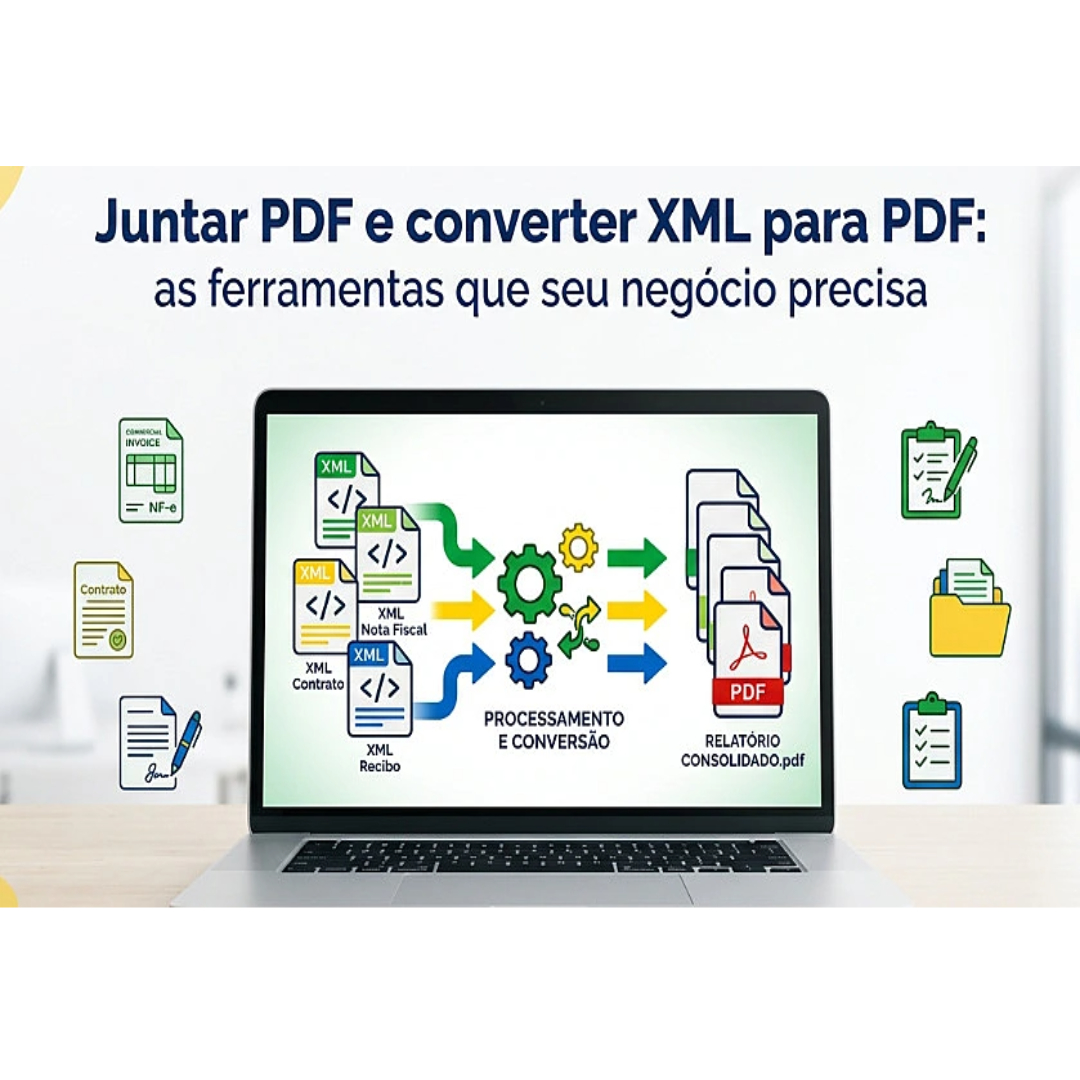
Two tools solve most of this: knowing how to convert XML to PDF and how to merge PDF documents into single, organized files. Both are free, fast, and require no technical skills. But most business owners have never thought of them as sales and communication tools—and that’s exactly what they are.
Why can’t your customers read what you send?
XML is used by almost all business systems in Brazil. The Federal Revenue Service requires NF-e invoices in XML format. Payment platforms export transactions in XML. Marketplaces automatically generate XML data files.
The problem is that your clients, suppliers, and accountants aren’t systems. They’re people. When an XML file arrives in their inbox, they see a wall of code. They can’t verify the total, confirm the date, or check the item list without converting it first.
Converting an XML invoice to PDF takes seconds and transforms that unreadable file into something anyone can open, read, and print. No software. No technical knowledge. Just a clean, professional document that works for everyone.
This small step eliminates a surprising number of follow-up questions from clients and suppliers.
The Real Cost of Sending Scattered Files
Think about the last time you sent a contract. Did you send the main document, attachments, and terms as separate attachments? Did your client have to open three files to get the complete view?
Scattered documents create confusion. Clients lose attachments. Contracts are signed without supporting terms. Batches of invoices get lost in email threads. This isn’t just inconvenient—it delays sales cycles and generates disputes.
Merging PDF documents into a single file solves this directly. A contract package becomes a clean file. A monthly batch of invoices becomes an organized document. A client order record becomes a complete PDF with everything inside.
Merging PDFs without losing quality means the merged file looks exactly as professional as the originals—intact layout, crisp images, and preserved digital signatures.
Digitally Signed Documents and Why Merging Them Matters
Many Brazilian companies already use digital signatures on contracts and official documents. This is a good practice, but it creates a specific challenge when merging files.
Not all PDF merging tools handle signed documents correctly. A platform that doesn’t support merging digitally signed PDFs can corrupt or invalidate signatures during the merging process, creating legal problems.
A reliable tool preserves digital signatures when combining files. This is important for contracts, supplier agreements, and any official document signed through Gov.br or other certified platforms.
Always verify that the platform you use confirms signature preservation before merging signed documents.
How This Directly Improves Your Sales Process
Clean and organized documentation makes your business look professional. This matters more than most people realize during a sales process.
When a prospect receives a clean PDF with the quote, terms, and supporting information all in one place, they have everything they need to make a decision. There are no missing pieces to hunt for. No confusion about which file is the final version.
When a client receives a well-organized PDF invoice instead of a raw XML file, they feel confident that the transaction was handled correctly. This confidence reduces disputes and builds credibility for repeat business.
Good document management is silent sales support. It works in the background, but clients notice when something goes wrong.
A Simple Weekly Document Routine for Online Stores
Here’s a practical routine that takes less than twenty minutes a week:
Daily
- Convert received XML invoices to PDF as soon as they arrive.
- Name each file clearly: supplier name, date, invoice number.
Weekly
- Combine the week’s invoices into a single monthly batch file.
- Combine contracts with their attachments and supporting documents.
- Send a combined PDF to your accountant instead of multiple attachments.
Monthly
- Create a complete monthly record with all invoices, receipts, and confirmations merged.
- Back up the original XML files in a separate folder.
- Correct the file naming to maintain consistency.
This routine eliminates the end-of-month rush and keeps your records clean and ready for tax season.
What to Look for in a Free Online Tool
The best free online PDF merging and XML-to-PDF conversion tools require no registration or software installation. They work directly in the browser, both on mobile phones and computers.
Important points to check:
- Secure processing with encryption — business documents contain sensitive data.
- Automatic file deletion after download — you don’t want invoice data stored on someone else’s server.
- Support for large files — batches of invoices and contract packages can be large.
- Digital signature preservation — essential for legally binding documents.
- Batch processing — useful when converting or merging multiple files at once.
Free platforms without encryption pose a real risk to business documents. Customer names, CNPJ numbers (Brazilian tax ID), transaction values, and contract terms are sensitive information that requires secure handling.
Conclusion
Converting XML to PDF and merging PDF documents are not complicated tasks. But most business owners either don’t know these tools exist or have never considered how much time and confusion they are wasting by not using them.
Clean and organized documents reach clients faster, reduce follow-up questions, and make your business look more professional at every stage of the sales process. The tools are free. The process takes minutes. The difference it makes to your daily workflow is real.
